Introduction
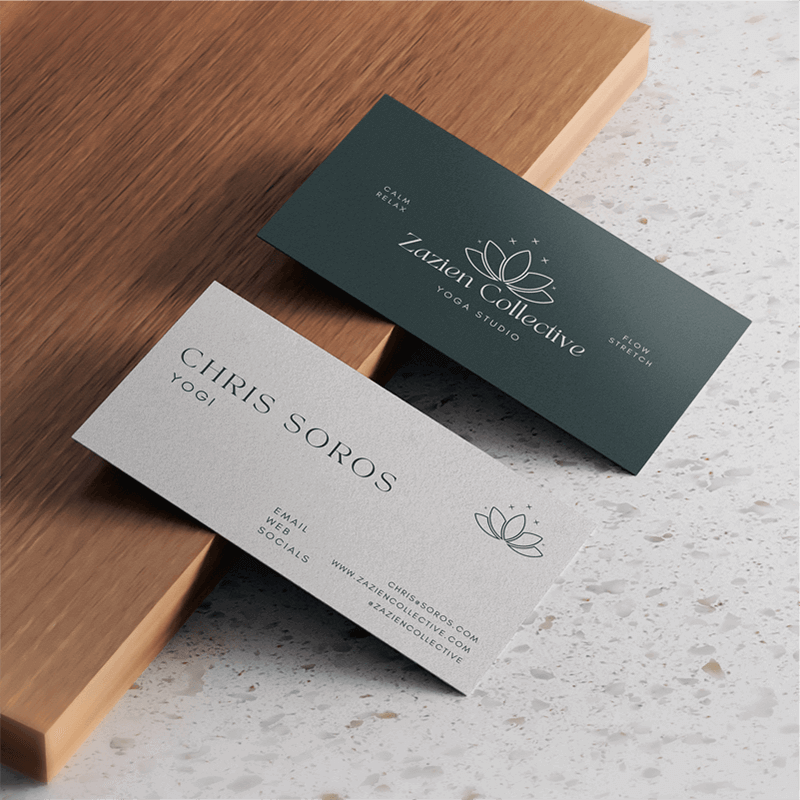
Business cards may be small, but their size plays a big role in how your brand is perceived. A well-sized business card fits neatly into wallets, pockets, and cardholders, making it convenient to carry and share. More importantly, the right size gives key design elements like your logo, contact details, and overall layout enough space to be read and understood, making your card a clear, professional way to build trust and leave a lasting impression.
Standard Business Card Sizes Around the World
Business card sizes are not the same everywhere. Different countries follow different standards, based on regional habits and wallet sizes. Mixam's high-quality printing serves a global customer base, giving you the creative freedom to print correctly-sized business cards that make lasting impressions.
Here’s a quick overview of the most widely used standard sizes:
|
Country |
Standard Size (inches) |
Standard Size (mm) |
| US | 2.01 × 3.5 | 50.8 × 88.9 |
| UK | 2.16 × 3.34 | 55 × 85 |
| Germany | 2.16 × 3.34 | 55 × 85 (alternative sizes available) |
These sizes are designed to fit into standard wallets and card slots. That’s why they tend to stay within a similar range, even if they vary slightly from country to country.
What Is a Smart Size for a Business Card?
“Smart size” doesn’t refer to a new format; it means using a standard business card layout that works well in both print and digital settings. These cards make it easy for people to save or scan your details, often using a QR code as a bridge to online content.
To be effective, a smart business card should present the most important details:
- Business name
- Your name and job title
- Phone number and email address
- Website
- Company logo
- Social media handles (if relevant)
- Optional: a QR code linking to your site, portfolio, or digital contact form
These elements help people remember who you are and make it easy for them to follow up. Whether you're handing out cards at an event or including one with an order, a smart layout makes sure your card is doing more than just sharing contact info; it’s helping build a connection.
Mixam offers high-quality printing that keeps QR codes clear and scannable. If you're adding one, make sure it’s placed with enough spacing and that all links work before submitting your design.
Checklist for print-ready Business Cards: Recommended Sizes and Formats
Business cards are small, but how you design them makes a big difference. They’re ideal for face-to-face networking, handing out at events, or including in packages. And even though they’re printed, layout and structure matter just as much as the content itself.
To create an effective business card, follow these setup tips:
Checklist for business cards
- Use a standard card format
- Set your file resolution to at least 300 DPI
– This keeps the design sharp, even when viewed digitally on high-resolution screens
- Choose the right aspect ratio
- Use supported file types
– PDF, PNG, or JPG are the most widely accepted formats
- Include only essential contact information
– Name, role, company, email, phone, website, social links
- Add a QR code
– Make sure it works, is easy to scan, and links to something useful (e.g. contact form, portfolio, LinkedIn)
- Use clear fonts and a clean layout
– Text should be large enough to be easily readable
- Check your colour settings
A business card should be simple, readable, and professional. It should reflect your brand and help the recipient quickly understand what you do and how to contact you.
Logo Sizing: How Big Should a Logo Be on a Business Card?
Your logo is one of the most important parts of your business card. It helps people recognise your brand and gives your design a clear identity. But if the logo is too big or too small, it can affect how your card looks and reads.
Recommended logo size for business cards:
- Resolution: At least 300 DPI for sharp print quality
- File type: Use vector formats (PDF, SVG, or AI) if possible for best results
Tips for logo placement:
- Place the logo in the top-left, top-centre, or back side of the card
- Leave enough white space around it, don’t place it too close to text or the edges
- If using a large logo, reduce text or keep the layout minimal to avoid clutter
Your logo should always be clear and easy to read. A clean layout makes your branding stronger and helps people remember your business.
Before you send your design to print, always check how your logo looks at actual size and if you have adjusted the colours in the correct CMYK settings. If you’re unsure, Mixam’s team of print specialists can review your file and help you make the best layout choices.
Choosing the Right Size for Your Industry and Brand
The best business card size depends on your field and how you want to present your business. Below are common industries and what to focus on when choosing a format and designing your card:
Creative Industries
Your business card should reflect your style and personality. Use bold colours, custom illustrations, or branded graphics, but don’t overload the space. Stick to key contact info and make sure the design looks intentional and aligned with your overall identity. A standard 55 × 85 mm format works well.
Professional Services (e.g. law, finance, consulting)
Go for a clean, classic layout. Choose a standard format that’s easy to store, like 2.01 × 3.5 inches in the US or 55 × 85 mm in the UK and Germany. Use neutral colours, structured fonts, and keep information clear and minimal. A tidy, no-frills design sends a message of reliability and professionalism.
Retail, Hospitality & Events
These cards often serve as both contact info and branding tools. You might include a logo, tagline, QR code for bookings, or social handles. Choose a layout that highlights your brand while staying practical.
Tech & Digital Fields
Modern and minimal is key. Use clean fonts, white space, and a strong logo. A QR code linking to a portfolio or LinkedIn is often more effective than listing every platform.
The key is to balance creativity with practicality. Ask yourself: Will this card fit in a wallet? Is the layout clear at a glance? Does it reflect my brand’s tone—classic, creative, or modern?
When in doubt, choose a standard size. It’s safe, versatile, and works for almost any purpose. Once your design is ready, Mixam helps you print it with precision, so your business card looks just the way you want it.
Conclusion: Final Tips and Print-Ready Guidelines
Before you print your business cards, take a moment to check that everything is in place. A few small steps can make a big difference in the final result.
If you’re including a QR code, test it with multiple devices to make sure it works. For logos and images, use vector files if available. And if you're unsure about anything, our team is always happy to help.
With the right file and the right size, your business cards will look sharp, feel professional, and make you and your brand memorable.
Ready to print your cards with confidence?
Mixam makes it easy to design and print high-quality business cards without stress or hidden costs. Whether you already have a print-ready file or are starting from scratch, we offer tools and support to guide you every step of the way:
- Use our free Design Online tool to create your card directly in your browser, no extra software needed. You can generate professional print files quickly and easily.
- Get instant pricing with our Quote Calculator and choose from a wide range of premium paper types and finishes.
- Need help? Our team of real print experts is just a message away. We’re here to answer questions and check your files before you order.
From upload to delivery, we’re here to make sure your business cards look exactly how you imagined, professional, polished, and ready to impress.
For more news and inspiration, check out the array of posts on Mixam’s Blog and visit our Support section for helpful guidance and advice on all things print.