Introduction
Printing custom booklets can be a versatile, cost-effective and simple way to communicate information in a structured and professional manner. From booklet sizes and binding options to paper choices and design tips, this guide explains how to print booklets with ease. We’ll give you a step-by-step approach to help you create prints that meet your audience’s needs, whether for marketing, education, or creative projects.
Why Are Custom Booklets Still So Popular?
Booklets are a trusted format for sharing information in a compact, readable form. For example, businesses use them to present documents like reports, educators can create resources like workbooks, and creatives use them to design portfolios. A well-designed booklet reflects attention to detail, helping to foster a stronger connection between creator and reader. Unlike digital formats, printed booklets offer a tactile experience, making content more memorable and engaging. They’re also economical for small and larger print runs. Bulk printing reduces per-unit costs, while small orders are practical for promotions and testing new content. Whether you’re designing marketing materials or personal projects, booklet printing offers unparalleled flexibility.
Popular Booklet Sizes
A4 (210 x 297 mm): A4 is a common choice for booklets. It offers ample space for charts, tables, images, and text. This size works well for detailed reports, educational materials like textbooks, or professional catalogues.
A5 (148 x 210 mm): A5 is a smaller and lightweight format, making it ideal for items like handbooks or event programmes. Its compact size makes it easy to handle, distribute, and carry, while still providing enough space for clear and readable content.
Understanding Booklet Binding Options
Perfect Binding
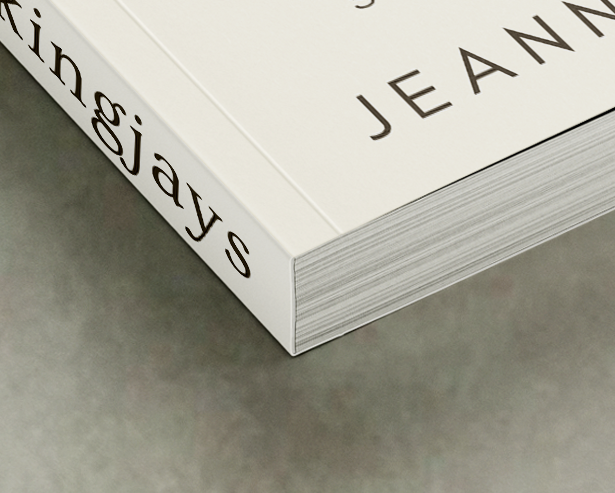
Perfect binding is where glued pages are attached to a spine before being joined to a flexible, slightly heavier outer cover, creating a rectangular spine. For thick or heavy paper booklets, PUR (polyurethane reactive) adhesive is used to ensure durability and flexibility without spine damage.
Measurements: Inner and Cover Pages
- Bleed: 3mm
- Quiet area (binding edge): 12mm
- Quiet area (other edges): 5mm
Upload Options:
- Inner pages: multipage document, single-page files, or double-page spreads
- Cover: single cover files or single cover spread
Saddle-Stitch (Staple)
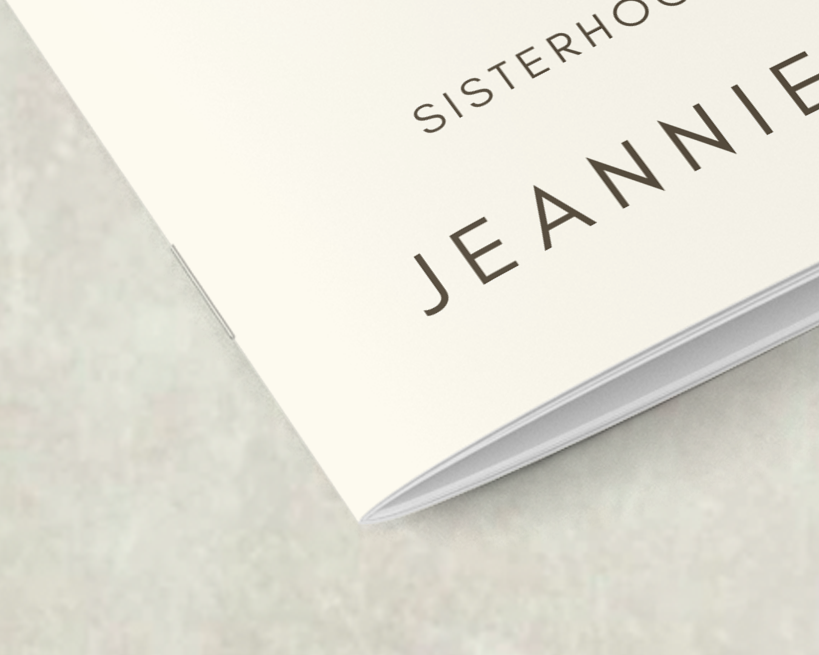
Saddle-stitch is is simple, reliable, and cost-effective binding method. Two staples along the centrefold hold the pages securely, making it perfect for booklets with low page counts or designs that require uninterrupted graphics across pages.
Measurements: Inner and Cover Pages
- Bleed: 3mm
- Quiet area (binding edge): 5mm
- Quiet area (other edges): 5mm
Upload Options:
- Inner pages: multipage document, single-page files, or double-page spreads
- Cover: single cover files or single cover spread
Wiro
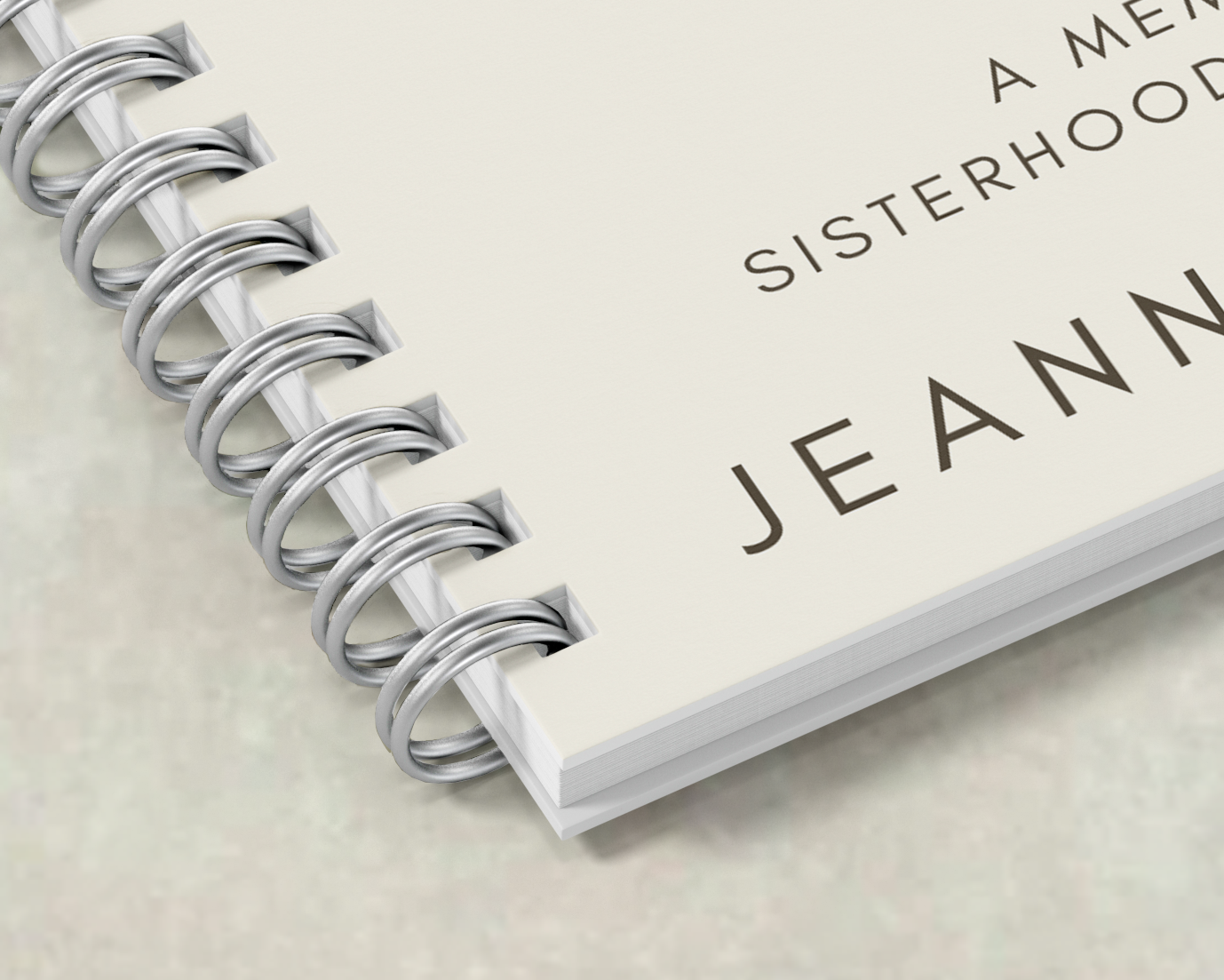
Wiro binding secures pages with C-shaped wire loops, offering flexibility and durability. It accommodates both small and large page counts and allow booklets to lie flat. Pages can also rotate 360 degrees, making them ideal for booklets that experience frequent handling.
Measurements: Inner and Cover Pages
- Bleed: 3mm
- Quiet area (binding edge): 15mm
- Quiet area (other edges): 5mm
Upload Options:
- Inner pages: multipage document, single pages, or double-page spreads
- Cover: single cover files or single cover spread
Paper Type Considerations
Selecting the right paper improves both the feel and appearance of your booklet. Consider the purpose, visual impact, and target audience when choosing paper type and weight:
- Silk: Smooth finish with subtle sheen. Enhances colour brightness and ensures readability. Excellent for booklets with text and images.
- Gloss: Ultra-smooth finish with high shine. Highlights images and makes colours vivid, ideal for graphic-heavy booklets.
- Uncoated: Soft, textured paper with no coating. Produces muted, natural colours. Perfect for projects that require a tactile feel.
- Recycled Papers: Eco-friendly options made from 100% recycled fibres. Absorbs ink well and gives printed colours a natural, subtle look. Perfect for anyone wanting to prioritise sustainability.
Booklet Design Tips
Designing a custom booklet isn’t just about organising pages. Proper booklet printing preparation ensures a natural flow and an overall professional look. These steps improve both the user experience and the appearance of the booklet, helping your work make a strong impression:
- Keep Layout Consistent: Use consistent margins, fonts, and colour schemes across all pages. For more guidance on selecting the right fonts for your booklet, check out our beginner’s guide to fonts.
- Use Clear Headings: Organise content with headings and subheadings to guide readers through the booklet. To see examples of layout and design tips, explore our guide to professional booklet templates.
- Leave Adequate Margins: Ensure quiet areas around edges and binding sides to prevent text or images from being cut. To learn more about setting margins, check out our guide to bleed in printing.
- High-Quality Images: Always use high-resolution images for sharp, clear prints. For tips on achieving this, see our guide on DPI for printing.
- Consider Flow: Arrange pages logically to enhance readability and comprehension. In your order’s Artwork tab, you can quickly rearrange pages by dragging and dropping them into new positions. Alternatively, click the three-dotted icon under a page and enter the new page number to move it.
- Proof Before Printing: Mixam’s software automatically checks your files when you upload them, but it’s still important to review them yourself. Download a proof and open it in Adobe Acrobat Reader to spot any issues that might not be obvious at first glance. You can also review artwork thumbnails and use the virtual preview to see your booklet in a flipbook format.
How to Print Your Booklet with Mixam
Booklet printing with Mixam is straightforward from start to finish. With Mixam, you’re not just uploading files—you’re using a printing service that balances quality, flexibility, and control. You can choose from a wide range of booklet sizes, binding styles, and paper types, all with transparent pricing shown upfront. Mixam also offers reliable customer support. If questions come up, you can get help from real print experts who know how to keep your projects on track. With no hidden costs or unclear specifications, Mixam makes printing accessible to both first-time users and experienced designers.
Conclusion
Custom booklets remain a practical and effective way to share information, showcase work, or promote products. By understanding booklet sizes, print specifications and design best practices, you can create prints that look polished and ready to use straight away. Start printing your project today by visiting our Booklets page. You can also download Mixam’s free Book Printing Guide to learn the essentials of book production, and our PrintLink Guide to discover how to print on demand.
Main Image Credit: Unsplash