What is a book dust jacket?
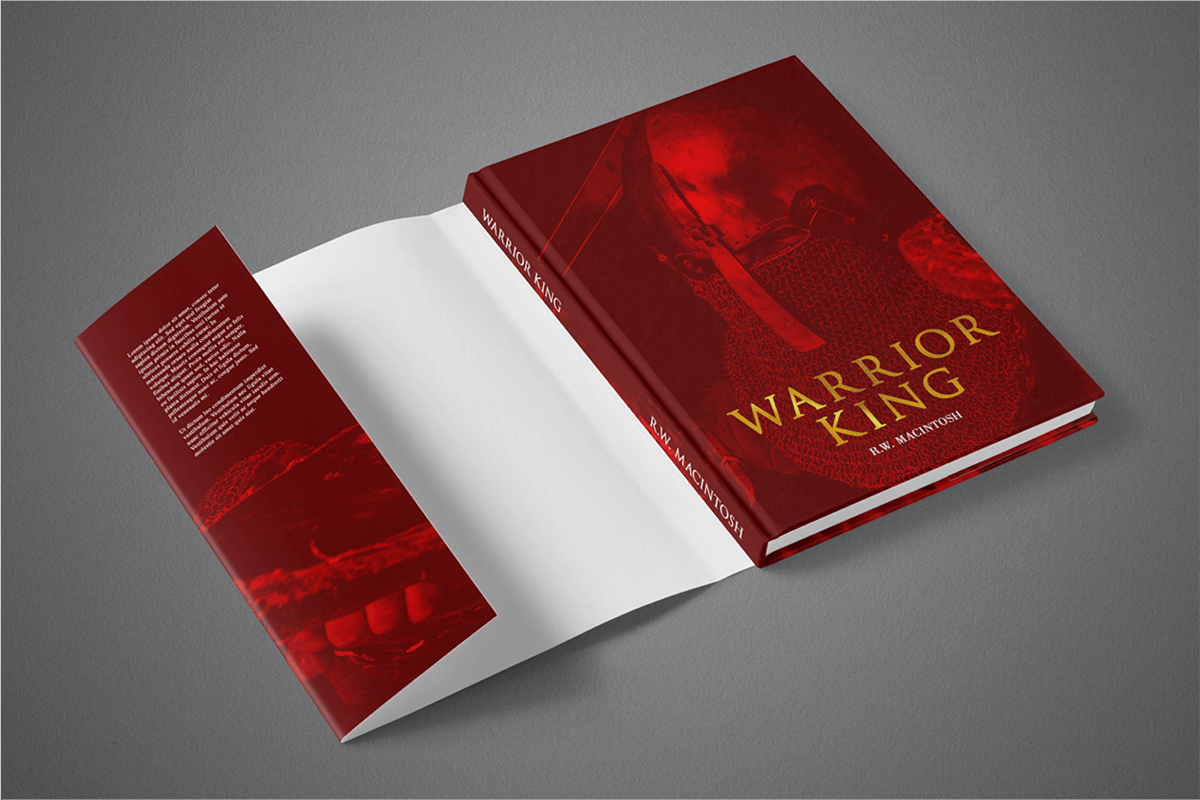
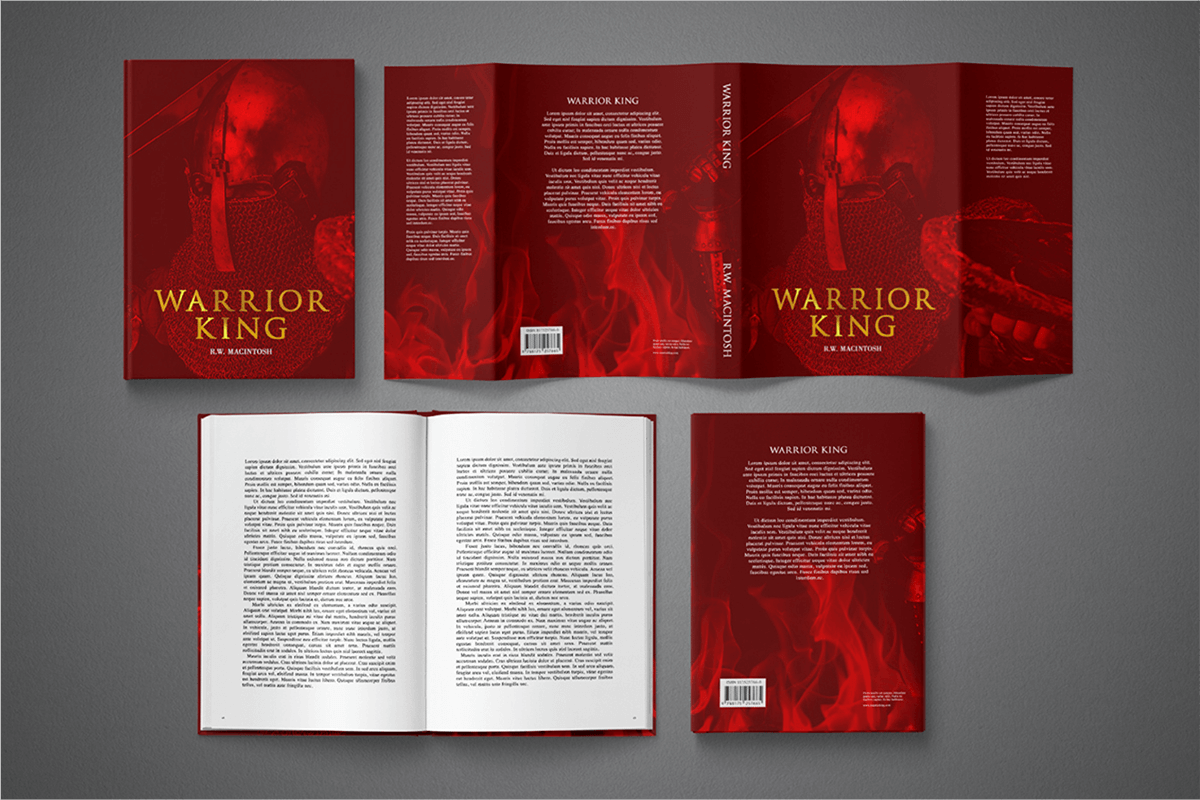
A dust jacket is a lightweight, removable paper cover for a hardcover book. It includes a front cover, back cover, spine, and two folded flaps. These flaps fold around the book’s cover to keep the jacket in place. The dust jacket protects the book from dirt and damage. It also improves the book’s appearance and helps maintain its condition over time.
We print dust jackets for hardcover books only. For paperback dust jackets, contact our team to request a custom quote.
What should a dust jacket design include?
| Feature | Description |
| Front Cover | The front cover should show the book title, the author's name and eye-catching graphics. |
| Spine |
The spine features the book title, author’s name, and graphics, similar to those on the front cover. When placed upright, the spine faces outward. You may add a logo or edition number if a book is part of a series.
|
| Back Cover | The back cover should include a brief description of the book’s content, called a blurb, along with graphics. If you plan to sell your book in a physical store, add barcodes. You may also add a QR code. |
| Front and Back Folded Flaps | These flaps offer space to include extra information about the book. You can add promotional details like website addresses, social media handles, highlighted reviews, and publisher information. |
How do I calculate the dimensions of a dust jacket?
Start with your book’s final inner page dimensions, then add the following:
- 5.775" to both the front and back cover widths (to account for the cover board wrap and hinge allowance).
- 0.2" to the front and back cover heights to account for the board overhang.
- Add the spine width (same as the book’s spine).
- Add the flap width to the left and right sides: 2.5" folded flaps for dust jackets printed with hardcover books, 2.5" or 3.5" folded flaps for standalone dust jackets.
- Add a 0.125” bleed to all outer edges (top, bottom, left, right).
Final dust jacket size formula (with bleed):
Width = (Left folded flap) + (Back cover width + wrap) + Spine width + (Front cover width + wrap) + (Right folded flap) + bleed
Height = Trim height + 0.45" (0.2” board overhang + 0.25” bleed top and bottom)
| Size and Orientation | Width x Height | Flap Width (for orders with hardcover books) |
|---|---|---|
| Digest Portrait | 5.5” x 8.5” | 2.5” |
| Digest Landscape | 8.5” x 5.5” | 2.5” |
| US Trade Portrait | 6” x 9” | 2.5” |
| US Trade Landscape | 9” x 6” | 2.5” |
| Letter Portrait | 8.5” x 11” | 2.5” |
| Letter Landscape | 11” x 8.5” | 2.5” |
| 8.5” Square | 8.5” x 8.5” | 2.5” |
| 7.5” Small Square | 7.5” x 7.5” | 2.5” |
| 7.25” x 9.5” Portrait | 7.25” x 9.5” | 2.5” |
| 7.25” x 9.5” Landscape | 9.5” x 7.25” | 2.5” |
| 7” x 9” Portrait | 7” x 9” | 2.5” |
| 7” x 9” Landscape | 9” x 7” | 2.5” |
| Pocket Book Portrait | 4.25” x 6.87” | 2.5” |
| Pocket Book Landscape | 6.87” x 4.25” | 2.5” |
| Royal Portrait | 6.14” x 9.21” | 2.5” |
| Royal Landscape | 9.21” x 6.14” | 2.5” |
| Executive Portrait | 7” x 10” | 2.5” |
| Executive Landscape | 10” x 7” | 2.5” |
| Crown Quarto Portrait | 7.44” x 9.68” | 2.5” |
| Crown Quarto Landscape | 9.68” x 7.44” | 2.5” |
| A5 Portrait | 5.8” x 8.3” | 2.5” |
| A5 Landscape | 8.3” x 5.8” | 2.5” |
| A4 Portrait | 8.3” x 11.7” | 2.5” |
| A4 Landscape | 11.7” x 8.3” | 2.5” |
How do I order a book dust jacket?
Start by choosing your hardcover book specifications on the Instant Quote Calculator and select the Dust Jacket option. You can also choose to print standalone dust jackets. Next, download the free template, which includes a dust jacket layout that you can use as an underlay in your design program. Make sure your design follows Mixam’s printing guidelines.
Standalone dust jackets can include a folding guide because they ship flat or in a tube. To add this, select Grayscale under ‘Colors (Back)’ on the Instant Quote Calculator, then click ‘Insert Fold Lines’ in your order. A light gray folding guide will appear inside the jacket and will be invisible once folded.
Design and clearly label your dust jacket file. After finishing your design, remove the template, export it as a single PDF spread, and upload it to the Artwork tab in your order.
What paper does Mixam use for dust jacket printing?
Mixam prints dust jackets on 80 lb. satin cover stock with either gloss or matte lamination. Standalone dust jackets are printed on satin or gloss paper.
How do I add foil or spot UV to a dust jacket design?
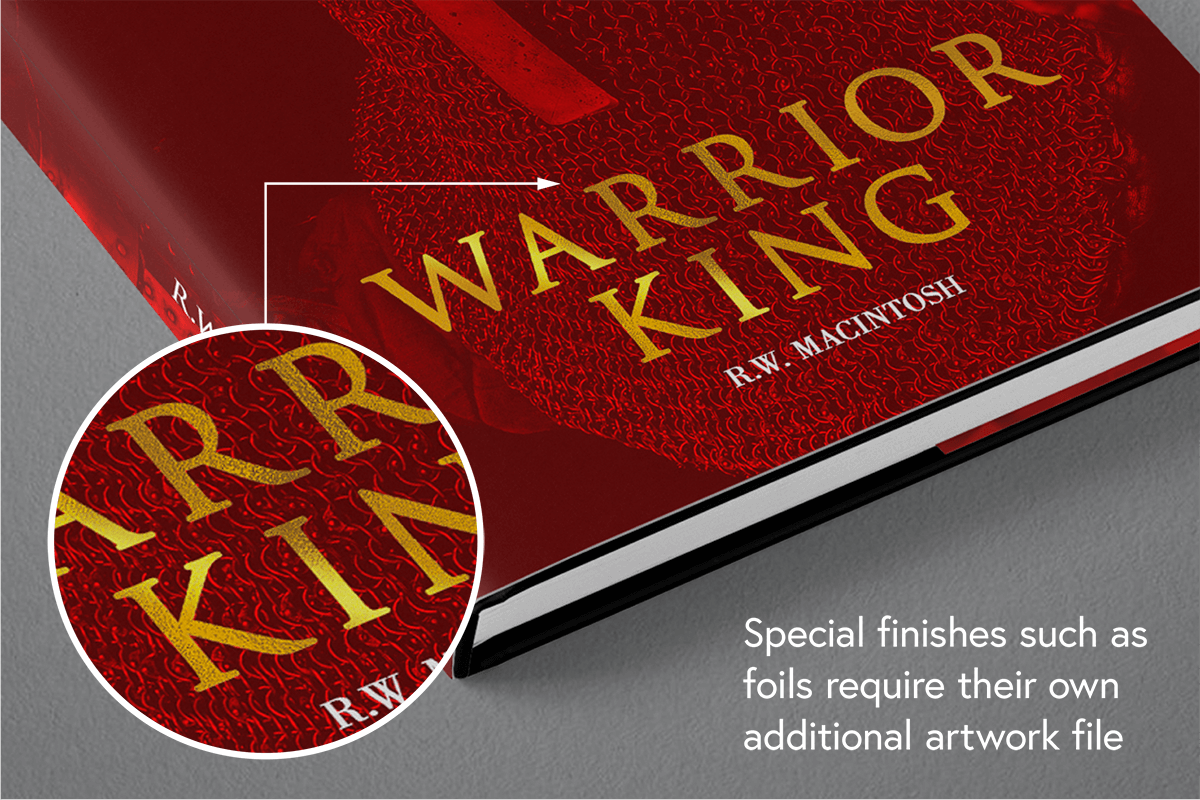
Follow the instructions in the ‘How To Prepare Files for Spot UV and Foiling’ section on our Preparing for Print support page.
Dust jackets with foiling or spot UV require a custom quote. Email Mixam and include ‘Dust Jacket Custom Quote Request’ or similar in the subject line. You can also attach sample print files showing where you want the finish applied.
In your email, specify the following print specifications:
- Quantity
- Orientation
- Size
- Spine width
- Folded flap width
- Front and back color or grayscale printing
- Lamination
- Spot UV or Foiling
A print expert will provide a price breakdown. You can then decide whether to proceed. We will open and share a pending order with you, including an estimated shipping date. If you want to change your specifications, you can request a new quote. The quote will be valid for two weeks.