How do I pay for my order?
Mixam offers multiple payment options to make checkout easy.
1. Fill in your Billing and Delivery details in your order’s Details tab.
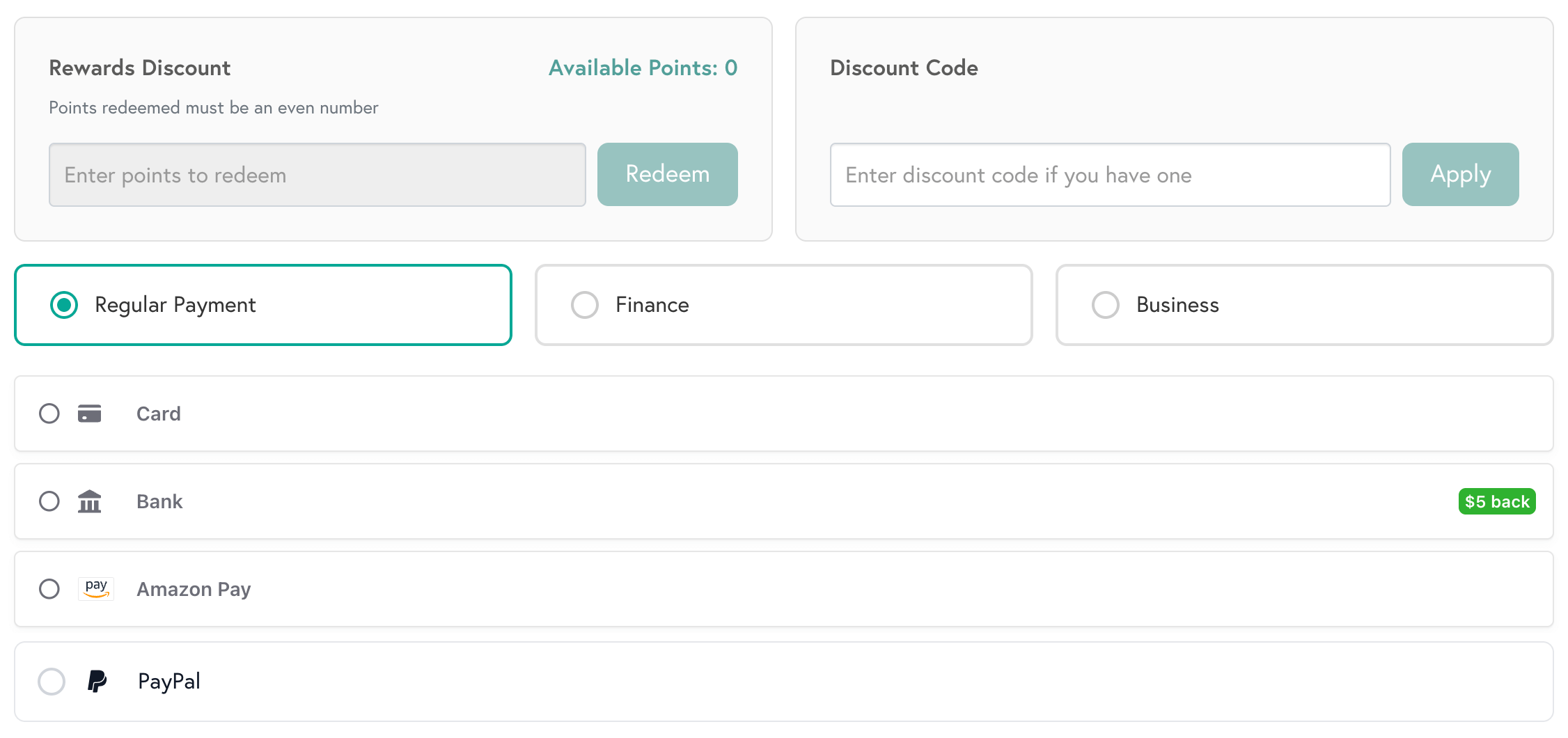
2. Select your preferred payment method in the Payment tab, or pay with points via Mixam Rewards. Depending on the method, payment may be taken instantly or authorised and later captured when your order enters production.
3. Once paid, confirm your order at the top of the screen. A print expert will review your files before sending them to production.
What is a payment authorization?
A payment authorization is a request sent to your bank to approve a pending payment. Depending on your bank, region, and payment method, the authorization may temporarily reduce your available balance (for debit accounts) or available credit (for credit accounts) until the payment is completed. Once authorized, the payment tab will show a blue checkmark.
What is a payment capture?
Payment capture is the transfer of funds that were previously authorised. It happens when your order enters production. Your available balance or available credit is reduced, and your bank account is debited. Once authorised, the payment tab will show a green checkmark.
When will I be charged?
Your payment depends on your chosen method and order status:
Pending Action (Bank Transfer, Proforma Invoice, Automated ACH Transfer, B2B Business Finance, Afterpay, PayPal): You approve, or a third party processes the payment.
On Production (Debit/Credit Card, Google Pay): Payment is authorised and shows as pending. Your card is charged when the order enters production.
Note: Increasing your order value requires new approval, and decreasing your order value does not.
Authorization limits:
- Debit/Credit Card (30 days)
- Google Pay (30 days)
If your order is not confirmed for production within the specified time, we will send you an expiry reminder or request a new payment.
Payment Options
Our pricing is fully transparent. Once your order enters production and funds are captured, you will receive a payment confirmation email with your invoice. The PDF invoice is also available in your Payment tab and My Invoices tab in your account.
Invoices
Registered businesses can select ‘Proforma Invoice’ in their order's Payment tab. We’ll email it to you within 1 working day (check your Spam/Junk folder). It lists the items we’ll send once payment is received. We only accept bank transfers, and unpaid invoices may affect your estimated date.
Credit Key
For B2B customers, Credit Key allows you to pay for your print work at the point of purchase. You complete a short form and pay back the cost of your orders in installments or standard terms (e.g. in 30, 60 or 90 days). You will only be charged interest if you exceed the payment timeframe.
Afterpay
Afterpay is a payment service that gives you a fixed amount of credit, allowing you to buy print now and pay later. You'll repay the amount spent in 4 automatic interest-free installments every 2 weeks.
Automated ACH Transfer
Automated ACH Transfer is an easy, secure way to pay for print online. Selecting this option will prompt you to connect your bank account. Once connected, two options will appear - ACH or Same Day ACH. Choosing ACH may delay your order, as we can only send orders to production once we receive payment. Therefore, please select Same Day ACH, which will secure your estimated delivery date, and once we receive the funds, we'll send your order to production (bank fees may apply).
How To Upload Tax Certificates
- Log in to your Mixam account using your registered email and password.
- Under Manage My Account, go to Tax Certificates.
- Click the Add Certificate button. Fill in the form and upload a high-quality image file of your sales tax exemption certificate corresponding to the delivery state. Accepted formats include JPG, PNG, and PDF.
Please allow 5-7 business days for review and approval. You will receive a notification once your certificate is approved.
Once your certificate is verified, we'll update your account, and orders can be processed tax-free for that state until the certificate expires. You can upload certificates for each applicable state if your business is exempt in multiple states.
Payment Troubleshooting
If you experience payment issues, contact our team of print experts or reference the links below:
- Visa and Visa Debit
- Mastercard
- American Express
- PayPal
- PayPal Credit
- Apple Pay
- Afterpay
- Plaid
- Stripe